


Fun Bridge
4.1517.00 Reviews
App Specs
- Version
- 6.11.2
- Updated On
- License
- Free
- Downloads
- 500,000+
- Developer
- Goto Games
- Categories
- Card
- Platform
- Android
Screenshots
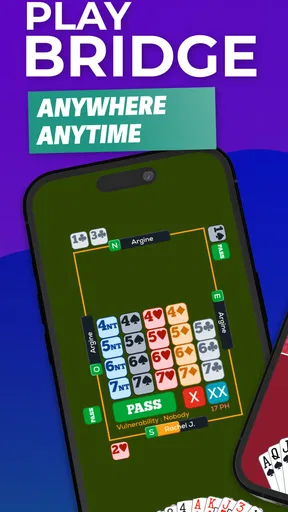
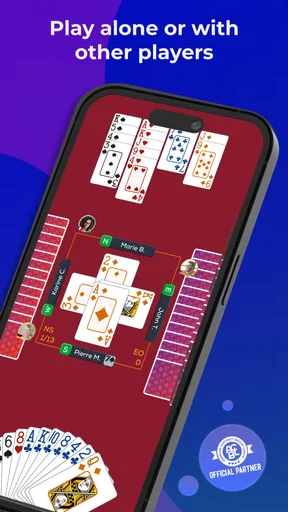
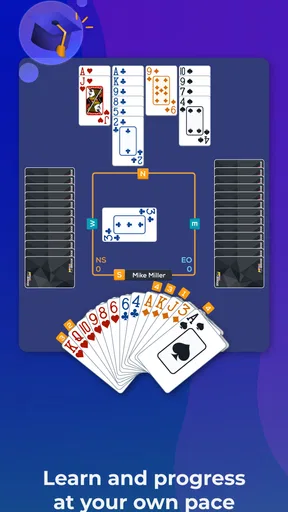
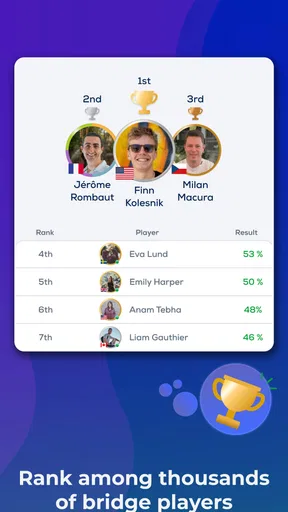
 Analysis by AppCompare
I’d approach Fun Bridge as a gentle way to meet a demanding card game, not as a shortcut to mastering it. Bridge asks you to think about bidding, partnership, and the cards you cannot see, so a first session can feel like a lot to absorb. What helps here is the chance to learn through play at your own pace. The game is free, made by Goto Games, and has a 4.1 average from around 12,000 ratings, which gives a newcomer a useful sense of how widely it is used without telling the whole story of whether its style will suit you.
What to expect from a bridge game
This is a card game built around the decisions that make bridge distinctive: you are not simply trying to discard cards quickly, but learning how to communicate strength and shape through bidding and then plan a trick-taking contract. That makes it rewarding for people who enjoy reasoning, but less immediately casual than a quick-match game such as a simple solitaire app. I would choose it when I want a focused mental activity, rather than something I can play with no attention at all.
The store describes the game as suitable for learning as well as playing, and that is the right expectation for a first-time player. It is rated Everyone, has more than 500,000 installs, and is free to download. The current version is 6.8.9 and it requires Android 7.0 or later. I would still check that the version available for your device is compatible before installing, especially if you use an older phone or tablet.
First setup: keep the first session simple
After installing, resist the urge to judge the whole experience by how quickly you can start winning. Bridge has several layers, and the most useful first goal is simply to understand what happens in one hand. Start with the introductory material and let it establish the vocabulary and sequence before you try to remember every convention. If a lesson feels obvious, move on; if a term or decision is unclear, pausing there is more useful than rushing through a string of hands.
A practical setup is to play somewhere you can give the game a few uninterrupted minutes. You do not need to set aside a whole evening, but stopping in the middle of a hand can make it harder to follow the logic when you return. I also recommend treating early mistakes as notes about what to revisit, rather than as evidence that bridge is too complicated. The first satisfying result is often not a win: it is recognizing why a bid or card choice mattered.
Your first meaningful success
For a beginner, I would define success as completing a hand while being able to explain one decision you made. Before playing a card, ask what information you have already gathered from the bidding and the cards played. Then consider what you are trying to achieve in the current trick, rather than attempting to plan the entire deal perfectly. This small habit makes the game feel less like guessing and gives each hand a clear learning point.
Fun Bridge is a card game from Goto Games, and its appeal is that practice can be approached as a gradual process instead of a test in front of other people. The game has 507 written reviews, alongside its broader rating count, but individual impressions are naturally shaped by how much bridge knowledge a player brings in. I would use the early sessions to find out whether you enjoy the puzzle of the game itself; that matters more than comparing your results with experienced players.
Worth Reading Before You Choose

EA SPORTS FC Mobile 26 Is a Bigger Football Game, but It Takes Time

Flipboard Shows What News Apps Must Do Beyond the Feed

Switching to Android Auto Means Rethinking Your Driving Routine

Google Calendar Makes a Crowded Week Easier to Manage

Ludo King Makes the Most of the Minutes Between Plans

Baby Panda World Brings Quick Play to Modern Phones, but Its Game Library Feels Busy
Getting Started with Fun Bridge
First things first, downloading Fun Bridge is a breeze. Available on both Android and iOS, the app is just a search away in your app store. Once installed, you're greeted with a sleek and intuitive interface that makes navigation a piece of cake. Even if you're a complete newbie, the app does a fantastic job of easing you in.
A Bridge Beginner’s Paradise
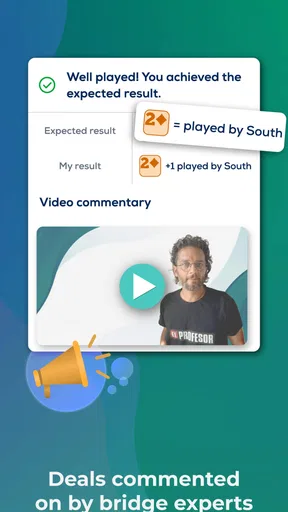
Okay, so if you’re like me and not exactly a bridge expert, you’ll appreciate the comprehensive tutorials. Fun Bridge starts you off with the basics, gradually building up your skills. The lessons are interactive and engaging, ensuring you understand the game's mechanics without feeling overwhelmed. And hey, if you’re feeling brave, you can skip ahead, but I’d recommend soaking in all the knowledge you can.
Playing the Game
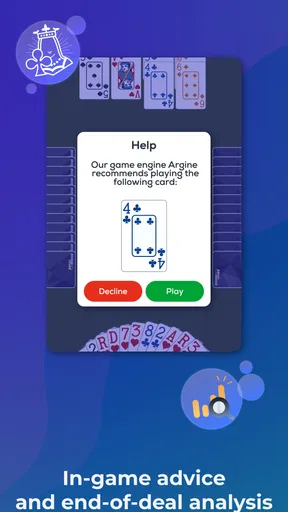
What sets Fun Bridge apart is its focus on playing against AI rather than live opponents. This is perfect for practice because you can take your time to strategize without the pressure of a ticking clock or impatient players. The AI is quite smart, providing a solid challenge that adapts to your level as you improve. It’s like having a personal bridge coach in your pocket!
Competing and Climbing Ranks
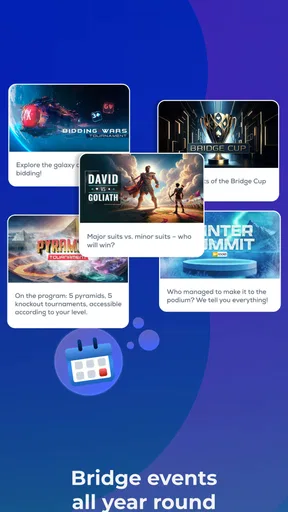
Feeling competitive? Fun Bridge has you covered with its numerous tournaments. Whether you’re a casual player or a seasoned pro, there’s always a tournament to join. As you play, you’ll earn rankings, and trust me, seeing your name climb the leaderboard is a thrill. Plus, the app's community is vibrant, so you can compare your progress with players worldwide.
Social Features and Connectivity
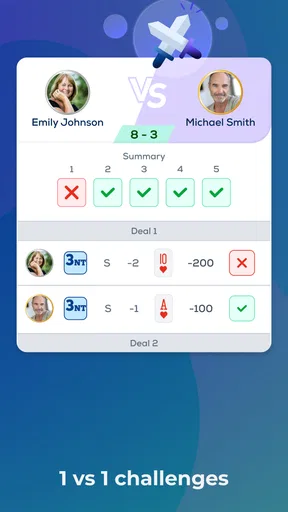
Bridge is as much about social interaction as it is about strategy, and Fun Bridge doesn’t skimp on this aspect. You can connect with friends, send challenges, and even share your accomplishments. The social features are a fantastic way to keep the game fun and engaging, and it’s always nice to have a little friendly rivalry going on.
Pricing and Subscriptions
Now, let’s talk about the elephant in the room—pricing. While Fun Bridge is free to download, it does come with a subscription model for more advanced features. The free version is quite generous, but if you’re serious about honing your skills, the premium features are worth considering. They offer additional lessons, tournaments, and an ad-free experience.
Fun Bridge offers several subscription tiers, so you can choose what fits your budget. And if you’re unsure, there’s often a trial period to test the waters. I found the premium content to be well worth the investment, especially if you’re committed to becoming a bridge master.
How to avoid the usual beginner confusion
The hardest early question is often not “Which card should I play?” but “What am I meant to pay attention to?” I find it useful to separate bidding from card play in my head. During bidding, focus on what the calls communicate; during the play, focus on the contract and the clues revealed by each trick. Trying to solve both layers at once makes a new hand feel needlessly opaque.
Another common stumbling block is assuming that a partner’s action is a promise of a specific card. Bids convey information within a system, but they do not reveal the full hand. Treat them as clues, then update your judgment as cards appear. When a result surprises you, replay the reasoning mentally: was the initial plan unrealistic, or did later information change what made sense? That review turns a disappointing deal into something teachable.
Choosing the right way to practise
Compared with a physical bridge club or a table of friends, an app is easier to fit around a busy day and less socially demanding. That is a real advantage if you are learning the rules or want to practise without worrying about slowing down other people. The trade-off is that digital practice cannot replace the conversation and shared routine of playing face to face. If your main goal is meeting partners and building a regular social game, an in-person group may be a better next step.
Compared with other card apps, this is also a more specialized commitment than solitaire or casual shedding games. Those are better when I want instant, low-effort entertainment; bridge is better when I want a problem that rewards memory and careful decisions. I would not install it expecting every session to feel relaxing. Some hands are satisfying precisely because they make me stop and think, while a confusing bidding sequence can feel like work until the basic ideas settle in.
A realistic routine for building confidence
Imagine having a short break after dinner and wanting something more absorbing than scrolling. I would open the game, revisit one lesson or idea that caused trouble, then play a hand with that point in mind. Afterward, I would name one decision that went well and one I would question next time. This modest routine is more useful than playing many hands quickly without noticing what changed from one deal to the next.
One practical tip is to avoid changing several habits at once. If you are working on reading the auction, make that the focus for a few hands and let card-play perfection wait. Later, switch attention to planning tricks or tracking played cards. Bridge rewards accumulated understanding, and narrowing your focus gives you a better chance of noticing progress than treating every deal as a fresh exam.
When the game may not be for you
I would steer away from this if you mainly want a fast, uncomplicated card game, or if you dislike learning terminology and rules before feeling fluent. It may also be a poor fit if your priority is face-to-face conversation: digital play can support friendly competition, but it is not the same as sitting around a table with people. For those needs, a lighter card game or a local bridge group could be more satisfying.
There is also a sensible spending question. The game is free to install, while in-app purchases range from $0.99 to $279.99 per item. I would first decide whether the basic play and learning approach hold my interest, then look carefully at what any paid option includes before buying. A high-priced item is not automatically worthwhile just because bridge is a serious hobby; the value depends on how often you will use the specific content and whether it addresses something you genuinely want to practise.
Making the most of lessons and competition
When a lesson introduces a concept, I would try it in a hand soon afterward rather than treating the tutorial as information to memorize. The useful test is whether you can spot the idea while the deal is unfolding. If you cannot, return to the explanation and choose one signal or decision to watch for next time. This turns learning into a loop—see the idea, try it, review it—instead of a long sequence of disconnected instructions.
Tournaments and rankings can add a goal once the basic flow feels familiar, but I would not use leaderboard position as a measure of whether I am learning. Competition can encourage regular play, yet a ranking compresses many decisions into one outcome and may make a beginner feel behind. I prefer to enter for the practice and compare my own understanding over time. If competitive pressure makes you hurry, ordinary practice is the better choice until you feel settled.
Costs, access, and expectations
Because the app is free to download, trying it does not require an upfront purchase. Still, “free” should not be read as a promise that every lesson or option is included at no cost. The listed purchase range is broad, so I would check the exact item and terms shown in the app before confirming anything, especially if someone else uses the device. That simple pause avoids confusing access to the game with access to every paid feature.
The age rating is Everyone, which makes the game broadly suitable from a content standpoint, but the strategic ideas can still challenge younger or completely new players. I would judge readiness by patience and interest in learning rules rather than by age alone. On the technical side, the stated Android minimum is 7.0; if your device meets that threshold, the remaining question is whether you enjoy bridge enough to give its learning curve a fair chance.
My take after looking at the whole experience
What I like most is the basic proposition: you can approach bridge as a learner and build familiarity through repeated play, rather than needing a ready-made group before you begin. The strongest reason to try it is curiosity about a game with real depth. The strongest reason to skip it is wanting something immediately obvious and consistently light. Those are different expectations, and being honest about which one you have will make the first session much more enjoyable.
The app has been available since August 16, 2012, and its current version is 6.8.9. For me, that makes it feel like an established option in mobile bridge rather than a novelty to sample for a single afternoon. Even so, longevity does not remove the need to see whether its teaching style and practice format work for you. I would give it a few thoughtful sessions, not just a quick launch and uninstall, before deciding.
The Verdict
In a nutshell, Fun Bridge is a must-try for anyone interested in bridge, from beginners to experts. It strikes the perfect balance between education and entertainment, making it a standout app in its category. With its user-friendly interface, robust AI, and engaging social features, Fun Bridge is more than just a game—it’s a community. So, what are you waiting for? Dive in and let the bridge adventures begin!
Pros
- User-friendly interface makes navigation simple.
- Comprehensive tutorials for beginners.
- Wide variety of tournaments available.
- Cross-platform play with friends.
- Regular updates with new features.
Cons
- Requires stable internet connection.
- In-app purchases can be pricey.
- Limited offline functionality.
- Occasional bugs in matchmaking.
- Some features behind paywall.
FAQs for Fun Bridge
What is Fun Bridge and how does it work?
Fun Bridge is an online bridge card game that allows players to compete against others worldwide. The app provides a user-friendly interface for both beginners and experienced players. It offers interactive tutorials, practice deals, and daily tournaments. Players can track their progress and compare their results on leaderboards.
Is Fun Bridge suitable for beginners?
Yes, Fun Bridge is designed for all levels, including beginners. The app features comprehensive tutorials and practice hands to help new players learn the basics of bridge. It also offers various difficulty levels, allowing beginners to gradually increase their skills while playing against the computer or other users.
What platforms is Fun Bridge available on?
Fun Bridge is available on multiple platforms, including Android and iOS devices. It can also be accessed via web browsers on desktops. This cross-platform availability ensures that players can enjoy the game seamlessly across their preferred devices, whether at home or on the go.
Does Fun Bridge require an internet connection to play?
Yes, an internet connection is required to play Fun Bridge. The app needs to connect to its servers to provide real-time multiplayer gaming, access to tournaments, and leaderboard updates. However, some practice hands and tutorials can be accessed offline, giving players limited access without connectivity.
Are there any in-app purchases in Fun Bridge?
Fun Bridge offers in-app purchases, which include subscription plans and additional game content. While the app is free to download, these purchases can enhance the gaming experience by unlocking premium features, such as exclusive tournaments and advanced tutorials. Ensure to review these options to determine if they fit your playing needs.


